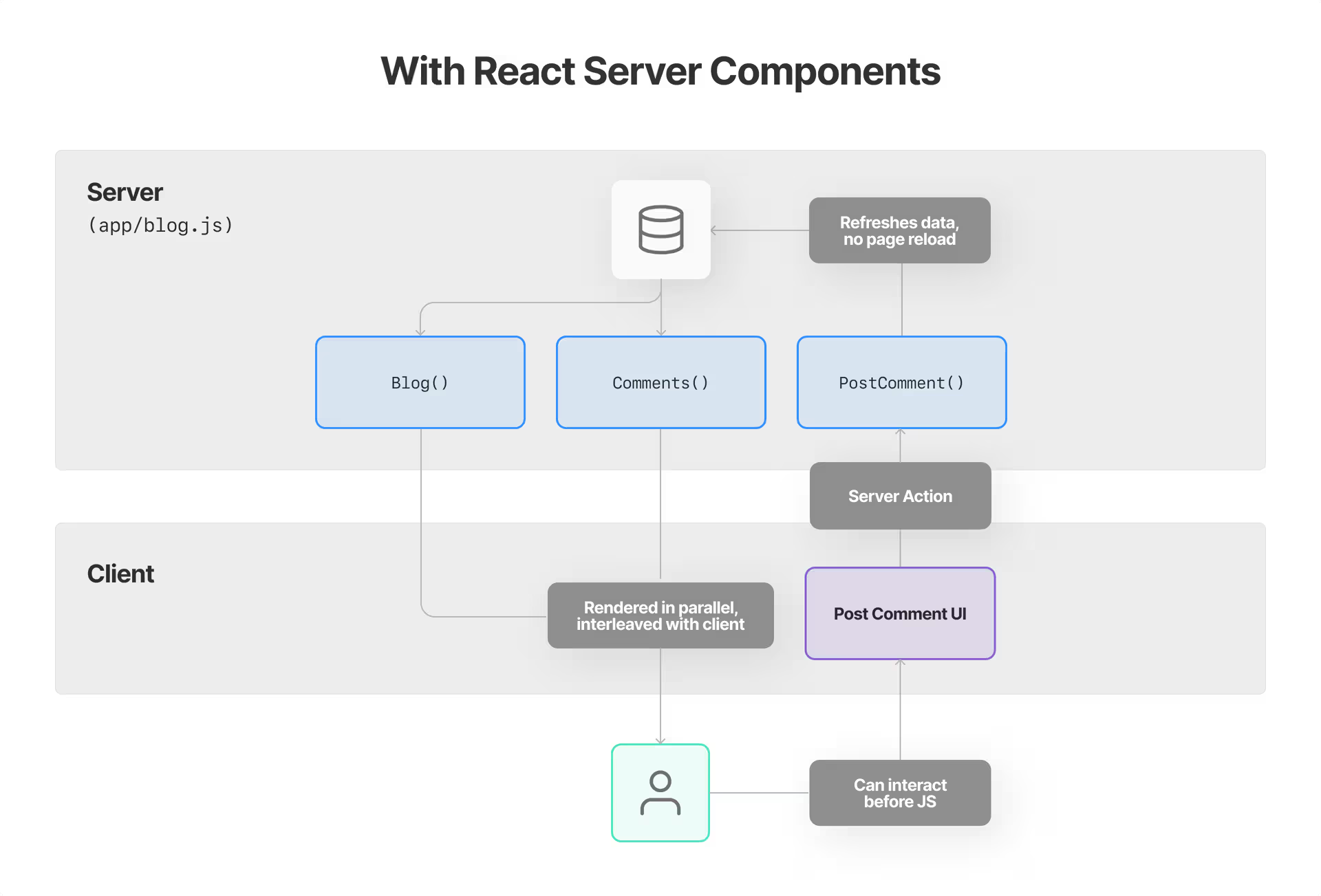
React 团队的文档提供了关于 Server Components 最权威的解释。他们涵盖了核心概念、架构和使用模式。
以下是一个 Server Component 的基本示例:
components/server-component.tsx
// This file runs only on the serverexport async function ServerComponent() { // Direct database access without exposing credentials to the client const data = await db.query('SELECT * FROM posts') return ( <div> <h1>Posts from the Database</h1> <ul> {data.map(post => ( <li key={post.id}>{post.title}</li> ))} </ul> </div> )}
React 团队成员 Dan Abramov 深入撰写了关于 React Server Components 背后架构的文章。他的解释帮助开发者理解 RSC 如何融入 React 生态系统。
他解释的一个关键概念是 Server 和 Client Components 之间的分离:
components/client-component.tsx
// This file runs only on the client'use client'import { useState } from 'react'export function ClientComponent() { // Client components can use React hooks const [count, setCount] = useState(0) return ( <div> <p>Count: {count}</p> <button onClick={() => setCount(count + 1)}>Increment</button> </div> )}
以及它们如何组合在一起:
components/server-component.tsx
import { ClientComponent } from './client-component'export async function ServerComponent() { const data = await fetchSomeData(); return ( <div> <h1>Server-rendered content</h1> <p>{data.message}</p> {/* Client components can be rendered within server components */} <ClientComponent /> </div> )}
Next.js 已将 React Server Components 作为其架构的核心部分。他们的文档提供了在全栈应用上下文中使用 RSC 的实用示例。
以下是在 Next.js Server Component 中进行数据获取的方式:
app/page.tsx
// Server Component by default in Next.js 13+export default async function Page() { // This data fetching happens on the server const response = await fetch('https://api.example.com/data') const data = await response.json() return ( <main> <h1>Welcome to my Next.js App</h1> <div> {data.items.map(item => ( <article key={item.id}> <h2>{item.title}</h2> <p>{item.description}</p> </article> ))} </div> </main> )}
Kent C. Dodds 撰写了一篇关于使用 React Server Components 所需的思维模型转变的文章。他的博客文章帮助开发者理解何时使用 Server Components 和 Client Components。
他讨论的一个关键模式是 RSC 上下文中的"容器/展示器"模式:
components/user-profile-container.tsx
// Server Componentimport { UserProfilePresenter } from './user-profile-presenter'export async function UserProfileContainer({ userId }) { // Fetch data on the server const userData = await fetchUserData(userId) const userPosts = await fetchUserPosts(userId) // Pass data to client component for interactivity return <UserProfilePresenter userData={userData} posts={userPosts} />}
React Server Components 最强大的功能之一是从服务器流式传输 UI 的能力。这允许在数据可用时逐步渲染组件。
app/page.tsx
// In a Next.js appimport { Suspense } from 'react'import Loading from './Loading'import SlowDataComponent from './SlowDataComponent'import FastDataComponent from './FastDataComponent'export default async function Page() { return ( <div> <h1>My Dashboard</h1> {/* Fast component renders immediately */} <FastDataComponent /> {/* Slow component shows loading state until data is ready */} <Suspense fallback={<Loading />}> <SlowDataComponent /> </Suspense> </div> )}
// Server Componentimport { SubmitButton } from './submit-button'export function Form() { return ( <form action="/api/submit" method="post"> <input type="text" name="name" required /> <textarea name="message" required></textarea> {/* Use a Client Component just for the interactive button */} <SubmitButton /> </form> )}